




















10 Tips to Improve Your Office Environment

10 Tips to Improve Your Office Environment

A productive office is not created by expensive furniture alone. It grows from clear evidence, daily observation, and thoughtful adjustment. This is the practical purpose of office environment improvement.

Gensler’s 2023 Global Workplace Survey found that employees value offices for collaboration, social connection, and focused work. However, many workplaces still provide open-plan layouts with constant noise, weak privacy, and limited control over lighting. The Leesman Index also shows that workplace experience depends on how well spaces support real tasks, not how modern they look. A polished reception area cannot compensate for uncomfortable chairs or unreliable technology.

“Workplace is a business tool,” says workplace strategist Neil Usher. That view changes the conversation. An office should help people concentrate, communicate, recover, and feel trusted. Evidence from the World Green Building Council connects healthy buildings with better wellbeing and productivity, while research from the Harvard Healthy Buildings program emphasizes ventilation, air quality, and occupant health.

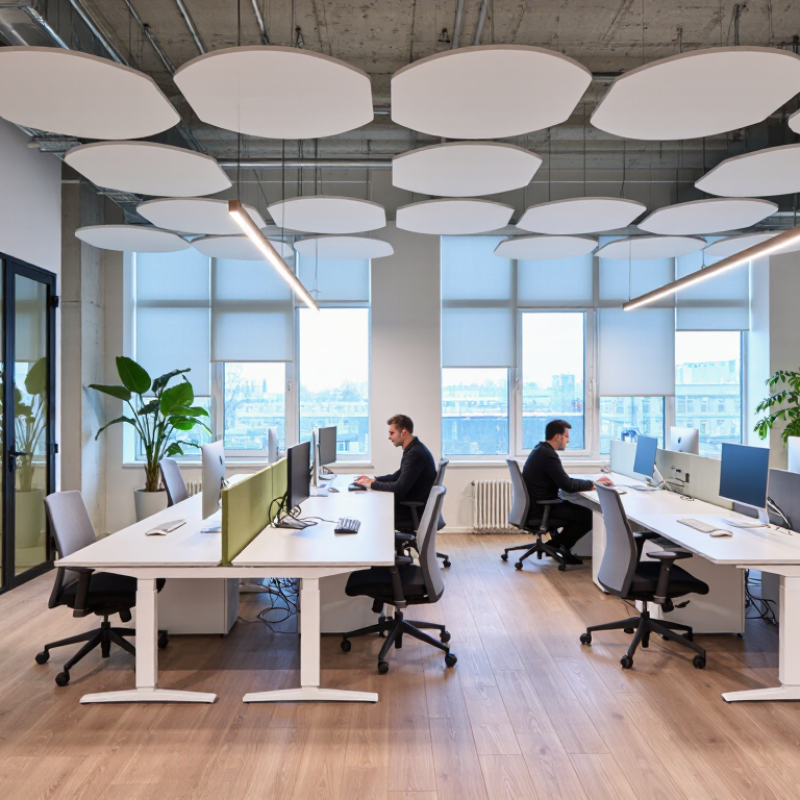
Small details matter. A quiet room can protect an hour of deep work. Adjustable blinds can reduce afternoon glare. Plants, acoustic panels, and visible recycling points can make the environment feel more considered. Still, no design solution works for every team. This guide offers ten practical tips, but some recommendations may require testing, feedback, and uncomfortable revision. Measure what improves the work, not merely what looks impressive. The best office environment improvement is rarely perfect on its first attempt.
10 Tips to Improve Your Office Environment

Assess Your Office’s Current Conditions and Employee Needs

Assess the office before changing it. Walk through at 9 a.m., 1 p.m., and 4 p.m. Record glare, noise, temperature, odors, and crowded routes. Note where employees pause, avoid, or improvise. A broken chair may reveal a wider design problem.

Use anonymous surveys, short interviews, and small group observations. Ask employees whether they need quiet zones, collaboration areas, adjustable desks, or better accessibility. Gallup’s State of the Global Workplace 2024 report found that only 23% of employees were engaged worldwide. A useful assessment should examine belonging, control, and concentration, not appearance alone. One neat office can still exhaust people.

Check physical conditions with objective measures. The U.S. Environmental Protection Agency reports that indoor pollutant levels can be two to five times higher than outdoor levels. Review ventilation records, carbon dioxide readings, lighting, and cleaning schedules with qualified facility professionals. Compare these results with employee comments. Do not trust one survey. It may miss night-shift workers, disabled employees, or people who fear criticism. Our first diagnosis may be wrong. Recheck it after small changes, such as moving a noisy printer or adding glare control near windows. Document what improved, what failed, and who was affected.

Improve Lighting, Air Quality, and Indoor Comfort

10 Tips to Improve Your Office Environment

Improve Lighting, Air Quality, and Indoor Comfort

Good office comfort starts with noticing how a room changes throughout the day. Track glare on screens in the morning and shadows near desks later on. Move workstations away from direct window glare when possible, and add adjustable task lights for detailed work. Choose bulbs that provide even, comfortable light rather than harsh brightness. A neat layout can still leave someone squinting, so check with the people who use the space.

Fresh air matters. Keep vents clear of boxes and furniture, and clean dust from grilles regularly. Open windows when outdoor air and weather allow; avoid relying on open windows when traffic fumes or pollen are a concern. A basic indoor air monitor can help identify patterns, but readings need context. Plants may soften a room’s feel, but they do not replace ventilation. Small changes matter.

Temperature and noise also shape comfort. Notice whether one area feels drafty while another feels stuffy, then adjust vents or seating before changing the whole room. Offer quiet zones or soft furnishings where conversations echo. Ask staff what feels uncomfortable, and revisit those answers after a few weeks. Not every fix works on the first try.

Organize Workspaces for Efficiency, Safety, and Accessibility

10 Tips to Improve Your Office Environment

A well-organized office helps people move, focus, and work safely. Keep walkways clear, route cables beside desks, and store heavy supplies between knee and shoulder height. Small details matter: a box left beside a doorway can become a daily obstacle. The U.S. Centers for Disease Control and Prevention reported that about one in four U.S. adults has a disability. That makes accessible routes and work areas essential, not optional. Leave turning space near desks, keep frequently used items within easy reach, and avoid placing furniture where it narrows a path. Check the layout from a seated position, too.

Safety needs routine attention. The Occupational Safety and Health Administration advises keeping walking surfaces clear and addressing trip hazards, including loose cords and clutter. Use stable shelving, label shared storage, and keep exits unobstructed. Adjustable chairs and monitor stands can help workers set up comfortable workstations; the right position varies from person to person. Ask staff what gets in their way. Their answers may expose a design flaw that a tidy floor plan misses. I have seen neat-looking spaces still fail in practice: a printer placed just beyond comfortable reach can turn a simple task into repeated strain. Review the setup after teams or equipment change.

Add Ergonomic Furniture and Supportive Work Equipment

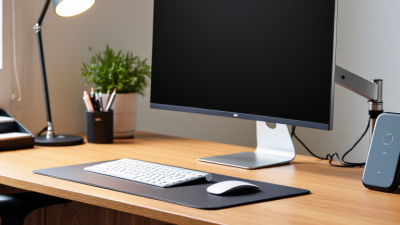
A supportive office begins with fit, not appearance. In its 2023 Survey of Occupational Injuries and Illnesses, the U.S. Bureau of Labor Statistics reported 2.6 million nonfatal workplace injuries and illnesses in private industry. Not all involve desk work, but the figure underscores why daily working conditions deserve attention. OSHA’s computer workstation guidance recommends arranging equipment to support neutral, comfortable postures. That means keeping the monitor near eye level, the keyboard close, and the mouse within easy reach.

Tip: Adjust the chair so both feet rest flat, with knees near hip height. A small footrest can help. Set the screen about an arm’s length away, then raise it until your neck feels relaxed. Choose a chair with adjustable seat height and lumbar support; add a separate keyboard or mouse if a laptop forces your shoulders forward. Small changes count.

Check the setup during a normal workday, not just when the desk is empty. If wrists press against a sharp desk edge, add a soft support or change the keyboard position. Equipment cannot correct every problem, and a chair that looks supportive may still feel wrong after two hours. Recheck posture after meetings, when people often drift toward the screen. A brief stretch helps, but it is not a substitute for a workable setup.

Maintain a Clean, Flexible, and Positive Office Environment

A clean office is easier to use, not just nicer to look at. Keep a small bin near shared desks, wipe kitchen counters after lunch, and clear walkways before boxes begin to pile up. These habits take minutes. They also reduce distractions and make it easier for people to find supplies. A weekly reset can help, but daily upkeep matters more. In practice, someone may forget. A friendly reminder works better than a strict note taped to the wall.

Flexibility helps people work in ways that suit the task. Offer a quiet corner for focused work, a table for team discussions, and adjustable chairs where possible. Let employees move between spaces when their work allows. Small details count: natural light, comfortable room temperature, and a place to refill water can shape how a workday feels. Ask staff what is helping and what is frustrating them. Listen carefully. Not every suggestion can be acted on, and that can feel disappointing. Still, explain decisions clearly and revisit them when circumstances change. A positive office is not cheerful every minute. It is respectful, practical, and willing to improve.